🍰 Cakephp5の例外処理表示について
例外処理表示の一覧
% ls -1 ~/www/vendor/cakephp/cakephp/templates/Error
duplicate_named_route.php
fatal_error.php
invalid_parameter.php
missing_action.php
missing_behavior.php
missing_cell_template.php
missing_component.php
missing_connection.php
missing_controller.php
missing_datasource_config.php
missing_datasource.php
missing_helper.php
missing_layout.php
missing_plugin.php
missing_route.php
missing_template.php
missing_view.php
pdo_error.php
%
不正なコントローラ名が指定された場合、missing_controller.phpが作動します。
また、不正なアクション名が指定された場合、missing_action.phpが作動します。
例外処理表示のカスタマイズ
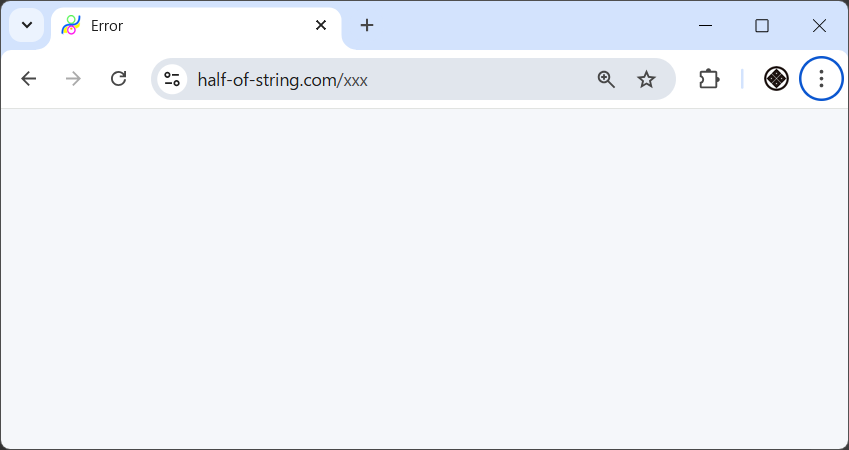
'Missing Controller'や'Missing Action'の場合に表示をブランクにする方法
- defaultレイアウトの編集
- 空のファイルmissing_controller.phpの作成
- 空のファイルmissing_action.phpの作成
defaultレイアウトの編集
% cd ~/www/templates/layout
% vi default.php
% cat default.php
<!DOCTYPE html>
<html>
<head>
    <?= $this->Html->charset() ?>
    <meta name="viewport" content="width=device-width, initial-scale=1">
    <title>
        <?= $this->fetch('title') ?>
    </title>
    <?= $this->Html->meta('icon') ?>

    <?= $this->Html->css(['normalize.min', 'milligram.min', 'fonts', 'cake']) ?>

    <?= $this->fetch('meta') ?>
    <?= $this->fetch('css') ?>
    <?= $this->fetch('script') ?>
</head>
<body>
    <main class="main">
        <div class="container">
            <?= $this->Flash->render() ?>
            <?= $this->fetch('content') ?>
        </div>
    </main>
</body>
</html>
%
空のファイルmissing_controller.phpの作成
% cd ~/templates/Error
% touch missing_controller.php
% wc missing_controller.php
       0       0       0 missing_controller.php
%
空のファイルmissing_action.phpの作成
% cd ~/templates/Error
% touch missing_action.php
% wc missing_action.php
       0       0       0 missing_avtion.php
%
カスタマイズ結果の確認
WEBブラウザで、URLを
https://half-of-string.com/xxx
として確認。
エラー表示されていなければOK。